The appointment of a company secretary can be made either through a board resolution or by the members, once a 'consent letter to act' has been obtained from the individual. The company is then required to submit form AP03 to Companies House, which should include the following details:
- Date of appointment
- Full name(s) and surname
- Service address
- Signature of both the new secretary and a director
The secretary’s details will be updated in the public records and added to the company’s statutory register of secretaries.
Steps to Appoint a Secretary for an Entity
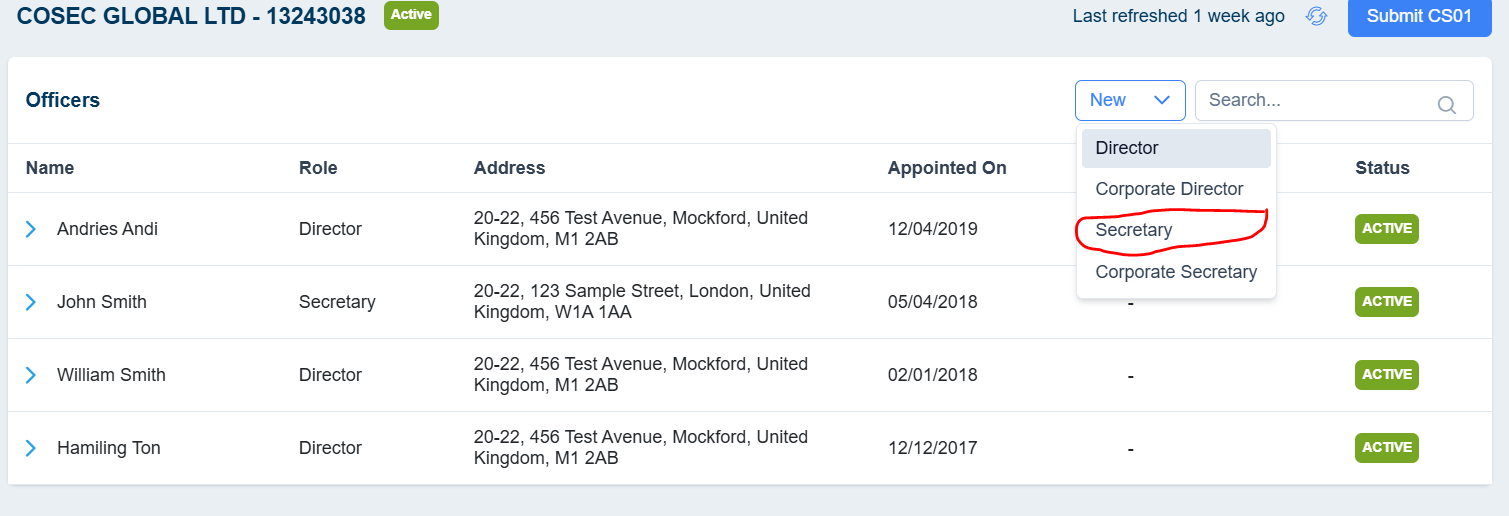
- Navigate to the desired entity for which you wish to appoint a secretary.
- Access the officer’s page for the entity and click "New".
- Select the Secretary role to generate the AP03 form.
- If the secretary is already listed in your contacts, select them. This will auto-fill their details (such as first name, last name, date of birth, nationality, occupation, National Insurance number, email, contact number, and residential address). You may modify any populated details if necessary.
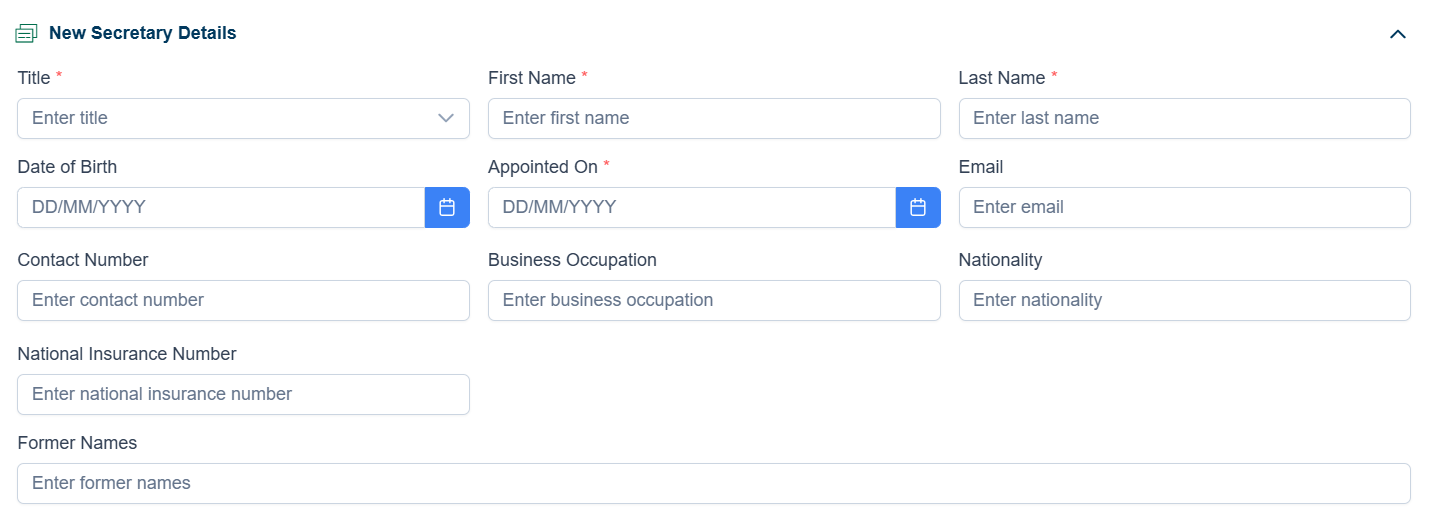
- If the secretary is not already in your contacts, manually enter all the required fields.
- Proceed to the service address section to record the director’s principal or registered address. You can search for the address using the postcode in the United Kingdom.
- Enable the "Consent to Act" option so Companies House can authorise the submitted details, with approval from the person acting as a director.
- If applicable, include any previous names of directors that have changed within the last 20 years.
- Click "Save" to proceed to the next step.
- Generating matching documents to Appoint a Secretary
After filling out the new address details, click on the Generate button to view a list of documents required for the AP03 form.
Select the desired documents and click Generate. You can also upload any additional required documents.
- Digital Signature (If required)
Select the signers and send the document for digital signing.
Track the document to see whether it got signed or not.
- Internal Approval
If the form requires internal approval, set up the approval process and send it for review.
Until the form is reviewed, it is unable to be submitted for the CH.
Post Submission
· Once submitted, Cosec will send you a confirmation.
· After Companies House accepts the form, you will receive an acknowledgment from Cosec confirming the successful submission.
How to appoint a director [AP01] in CoSec App?
